From Chat Boxes to Workbenches
Why Serious AI Work Needs an Integrated Environment

You’re crafting a detailed prompt in ChatGPT’s interface—carefully structured, with examples and constraints. Then your browser crashes. Or you accidentally hit refresh. The prompt vanishes. You stare at the empty input box, trying to remember what you’d written. You’ve learned, of course, to keep prompts short. But you know the results suffer.
This isn’t your problem alone. It’s the chat box’s. When you’re using AI for anything beyond quick questions—academic research, long-form writing, translation projects—more fundamental limitations emerge. Files sit scattered across conversations, impossible to organize systematically. Outputs live buried in chat history, requiring manual copy-paste to reuse. Prompts you’ve refined vanish after use, forcing you to reinvent them next time. The interface that works for casual consultation buckles under the weight of sustained knowledge production.
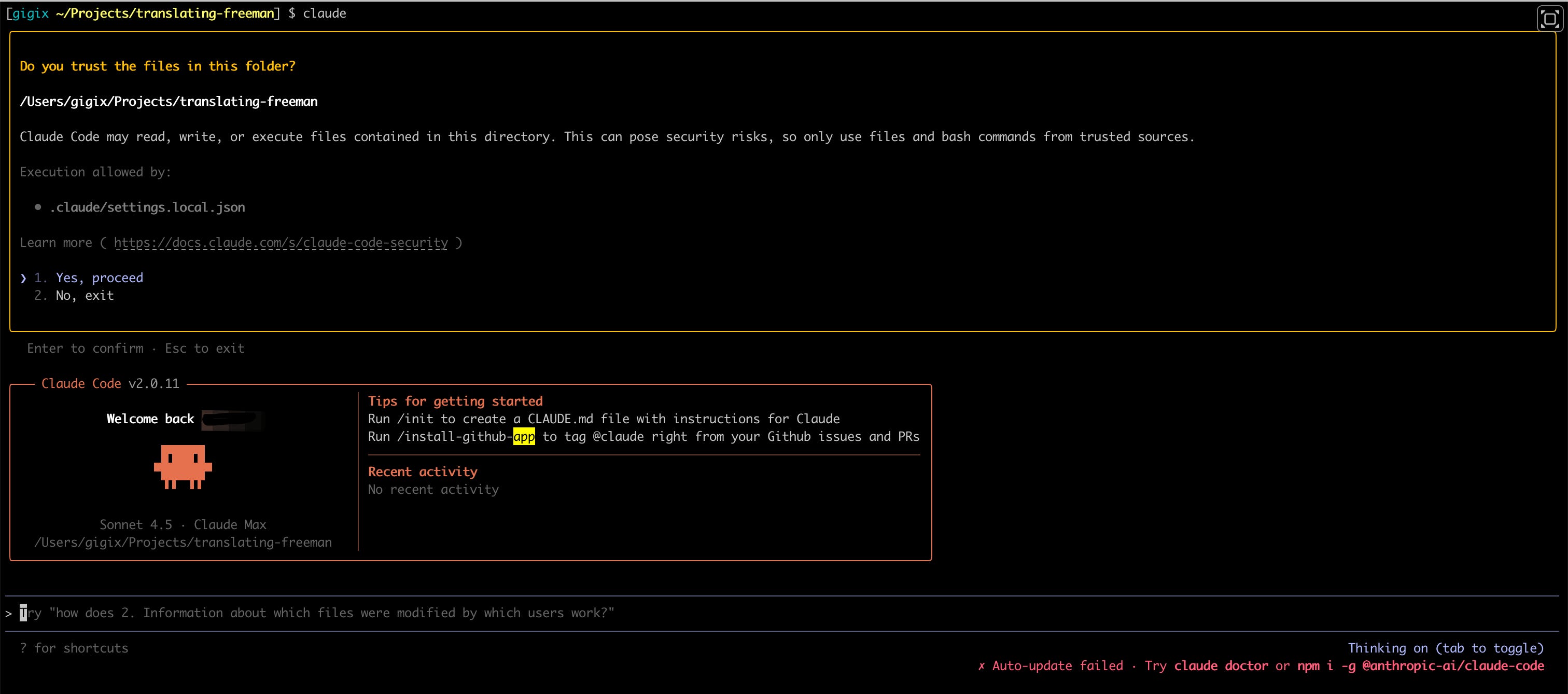
Programmers stopped working this way years ago. They use IDEs—Integrated Development Environments—workbenches where all their tools live in one place. That same approach, once exclusive to software development, is now available to everyone. Visual Studio Code (VSCode) with Claude Code represents exactly this shift: from disposable chat interface to integrated work environment.
Getting Started
VSCode is Microsoft’s free, open-source code editor that runs on Windows, Mac, and Linux. Claude Code is an extension—an add-on component—that brings Anthropic’s Claude AI assistant directly into the VSCode interface. You’ll need both.
To install VSCode, visit code.visualstudio.com and download the version for your operating system. The installation is straightforward—no technical configuration required. Once VSCode is running, install the Claude Code extension from within the application by searching for “Claude Code” in the Extensions marketplace (the icon looks like stacked blocks on the left sidebar). You’ll need an Anthropic API key, which you can obtain at console.anthropic.com. The Claude Code extension documentation walks through the complete setup: docs.claude.ai/claude-code.
The Four-Way Integration
An IDE integrates at four levels. File integration means your project structure lives in a navigable directory tree—you see everything at once, not file by file. Tool integration puts your editor, terminal, and AI assistant in the same window, eliminating constant window-switching. Process integration makes AI outputs into actual files you can read, edit, and reuse like any other document. Version control—which we’ll examine more closely later—records every change, so nothing is ever truly lost.
[Image: VSCode interface showing three-panel layout]
The VSCode interface expresses this integration visually. On the left, the Explorer panel displays your project’s directory tree. In the center, the main editor shows file contents. On the right, the Claude Code panel houses your AI dialogue. This three-panel layout keeps your files, your work, and your AI assistant simultaneously visible.
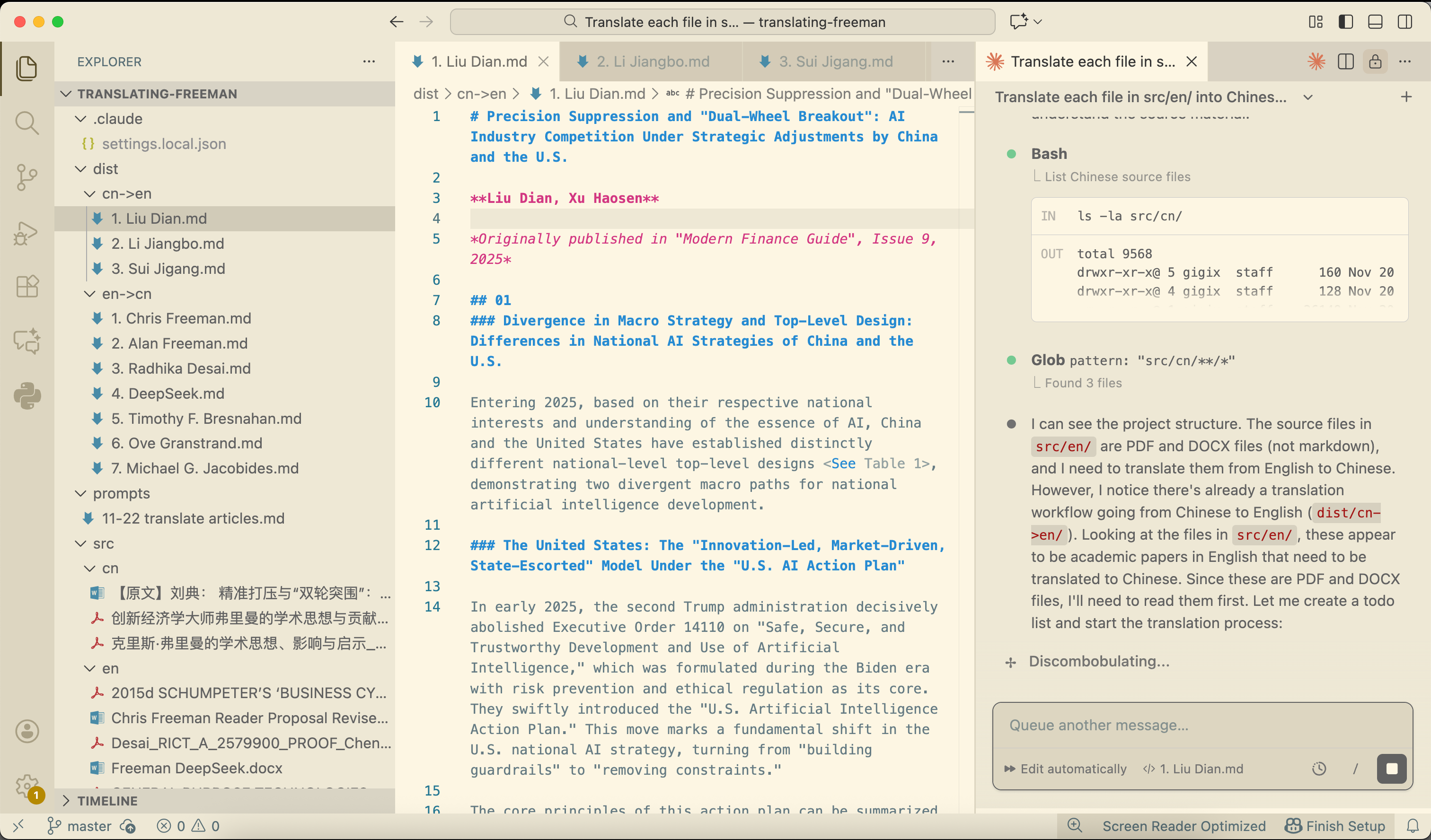
Consider a concrete workflow. You’re translating a collection of related articles. In VSCode, you create this structure:
translation-project/
├── src/
│   ├── en/          # original English texts
│   └── cn/          # original Chinese texts
├── dist/
│   ├── en-to-cn/    # English translated to Chinese
│   └── cn-to-en/    # Chinese translated to English
└── prompts/         # reusable translation prompts
The organization itself communicates purpose. Anyone—including the AI—immediately understands what each folder contains.
Now, in the Claude Code panel on the right, you input a systematic prompt: “Translate each file in src/en/ into Chinese. Maintain formatting, ensure accuracy, output as markdown, omit any charts.” The AI understands the project structure, processes files in sequence, and outputs completed translations. The results appear as files in the directory tree on the left, ready for review.
But integration shows its real value in iteration. You spot quality issues in the translations. You modify the prompt—perhaps adding reference materials or adjusting terminology guidelines. You re-run the process on specific files. You make manual corrections to particular sections. You generate summaries from the finished translations. Each operation builds on the previous one. Your prompts accumulate in the prompts/ folder, becoming a reusable knowledge asset rather than discarded input.
This is fundamentally different from working in a chat interface. You’re not asking the AI for outputs; you’re directing a systematic process that leaves structured, manipulable artifacts.
Version Control as Time Machine
Git, the version control system, isn’t just for programmers. Its core value—tracking every change, enabling restoration of any previous state, managing collaborative modifications—applies equally to research papers revised dozens of times, essays that evolve through multiple drafts, or translation projects that require quality refinement.
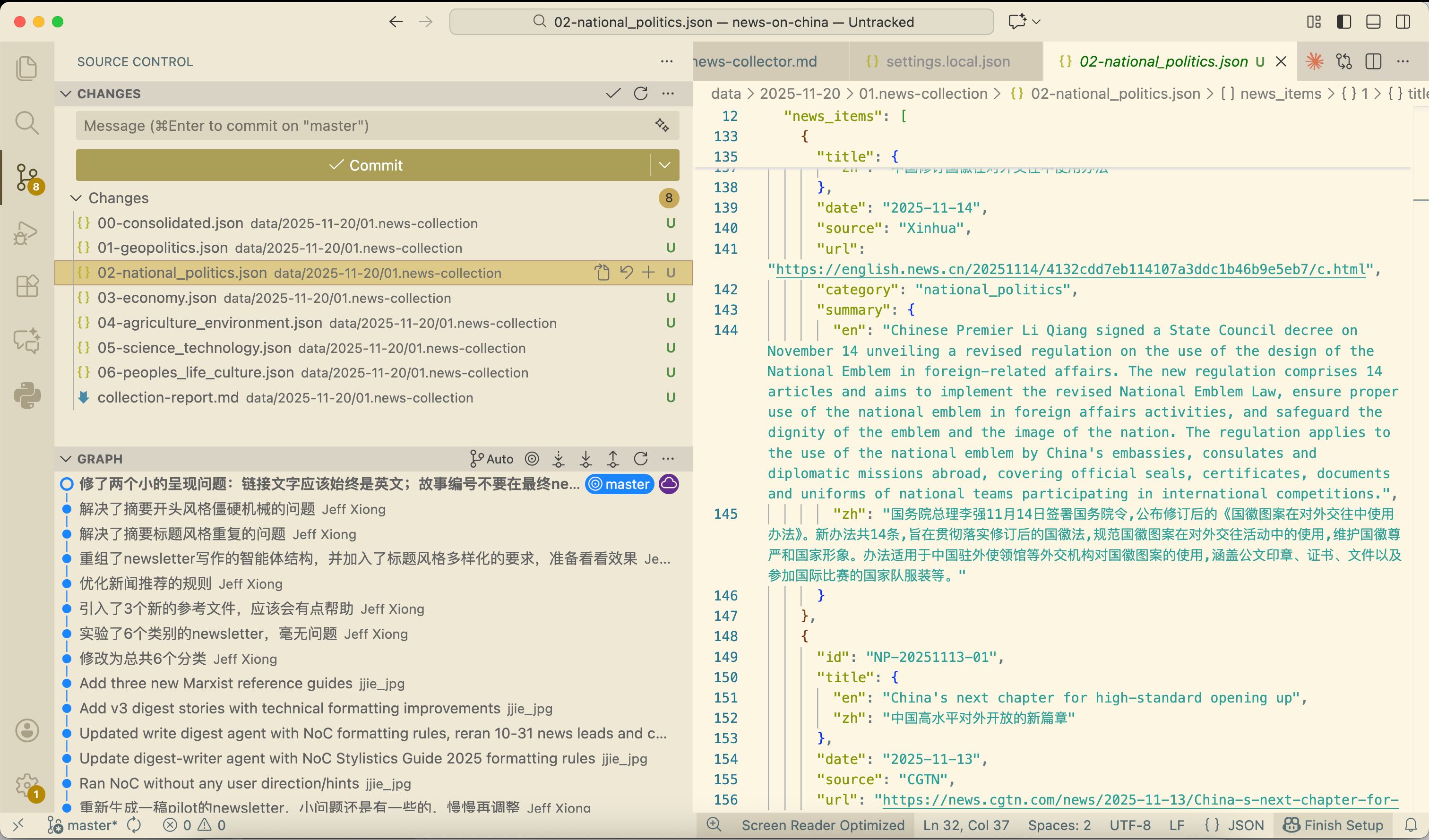
VSCode makes Git accessible. The Source Control view displays modified files graphically. The diff viewer shows before-and-after comparisons side-by-side, with color-coded changes. You only need to understand two basic operations: stage (mark changes to save) and commit (save them with a description). You don’t need to master Git’s complete conceptual framework—just enough to give your work a rewind button. For a gentle introduction to Git basics, GitHub’s guide for beginners covers the essentials: docs.github.com/en/get-started/start-your-journey/hello-world.
From Programming Tool to Research Environment
VSCode has evolved from a code editor into an integrated research environment. This isn’t about tools changing; it’s about work itself changing. AI assistants are expanding from “programming help” toward general-purpose agents. The democratization of these tools is irreversible.
For researchers and writers in resource-constrained environments—the Global South’s independent scholars, small-team translators, grassroots documentarians—this shift carries particular significance. The environment is free and open-source. The skills transfer across contexts, retaining value as tools evolve. The learning path is gradual, requiring no large upfront investment. You start where the chat box left you frustrated: with your work scattered and your process invisible. You arrive at systematic knowledge production, with structure that persists and processes that compound.
The transition from chat boxes to workbenches isn’t about adopting new software. It’s about making your work with AI as organized, traceable, and reusable as the work itself deserves to be. What we’ve covered here—file integration, systematic workflows, version control—establishes the foundation. Beyond this foundation lies what I call multi-agent systems (MAS): coordinated AI agents working together within your IDE to handle complex, multi-step tasks. That direction deserves its own exploration, which we’ll return to in future pieces.